 Aurora
Collectibles Studio
Build items, treatments, sets, booster packs and boxes in a dedicated collection editor.
On this page
Choose the right collection type
Collectibles has its own editor for logical items, reusable treatments, generated variants, inventory pools and sealed packs. Multiple copies of one variant share a token ID. Your existing NFT and Editions collections keep their own workflows.
| Type | Tokens | Factory |
|---|---|---|
| NFT Collection | Each artwork is one unique NFT | ERC-721 |
| Editions | Multiple copies of each artwork | ERC-1155 Editions |
| Collectibles | Items, variants, sets and sealed packs | Independent Collectibles factory |
Create your collectibles
Open Collectibles Studio
Choose Collectibles Studio in your workspace, then create a new collection or select its artwork folder. Active Creator or Premium access is required for creation and minting.
Prepare artwork and traits
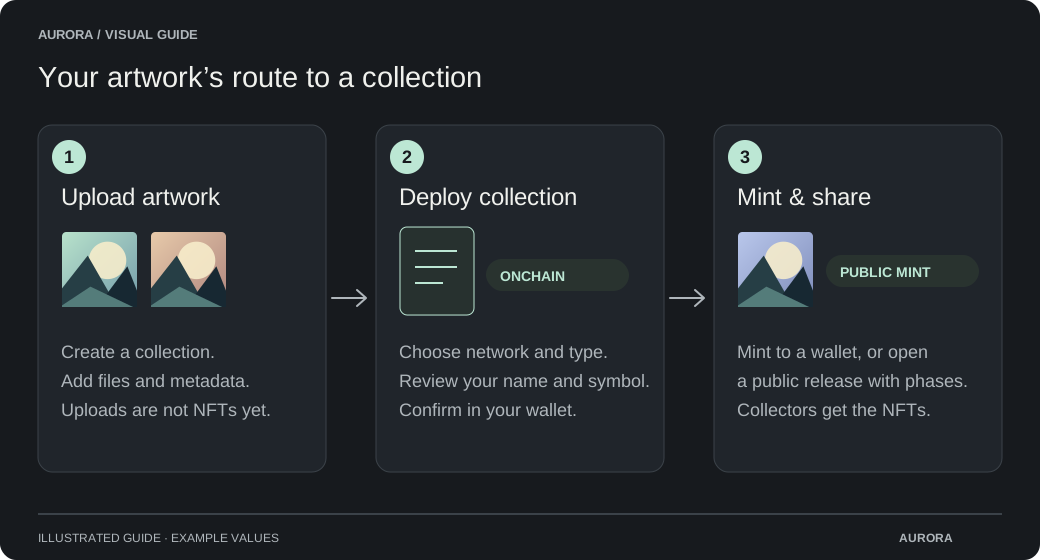
Upload images or videos and edit their metadata and traits. Choose your collection name, symbol and royalty recipient.
Choose an available network
The network list includes only enabled Collectibles factories. NFT Collections and Editions can have different network lists. If none are available, you can keep preparing artwork while an administrator completes setup.
Review and deploy
Check the permanent collection type and network, then approve deployment in your wallet. Gas applies. Aurora checks the receipt and saves the new address.
Build your collection
Import items from your uploads or a CSV. Add treatments, generate variants and set lifetime supply caps. Group items into sets, then allocate inventory to pools.
Design packs and sales
Choose Booster, Box or Custom pack, add artwork and configure its contents using pool slots. Choose transferability, duplicates and an optional opening deadline. Add timed sales, prices and wallet limits.
Review and publish
Save your draft, resolve the checklist and confirm publication in your wallet. Lifetime caps and pack contents stay fixed. V2 token metadata is immutable; V3 allows corrections until you freeze each token permanently.
Pack contents stay reserved
A sealed pack reserves every item it promises. Those copies cannot be minted elsewhere. The supply view separates lifetime minted copies, circulating copies, pool allocations and unopened pack commitments.
A finite pool draws from its remaining copies. A weighted pool uses the weights of entries that still have inventory. Duplicate-free packs use one draw from each of distinct pools; using the same pool more than once requires allowing duplicates.
Ending a sale stops new purchases. It does not expire packs unless you explicitly configured an opening deadline. With no deadline, holders can continue opening after the sale ends.
Opening a pack
Choose Open packs on the Collectibles directory, collection browser or buy page. Connect the wallet holding your packs and follow the opening room steps. Confirm each blockchain transaction in your wallet. After delivery, turn over the cards or choose Reveal all; this ceremony needs no extra transaction.
Allocation follows request order. Delivery uses those fixed contents and burns the sealed pack only when the cards are delivered successfully. A failed receiver or delayed confirmation can be retried without losing the opening.
The user-paid OpenVRF service requires no prepaid opening balance or funded background wallet. The platform deploys and authorizes the service and factory once; collections from that factory work without a separate opening-budget approval. Deployment and creator setup still cost their respective wallets gas. Other providers can have different funding requirements.
Manage your collection
Your collection uses Aurora mint fees, metadata publishing, ownership checks, royalty limits and transaction recovery. Royalties depend on marketplace support. Original uploaded files stay available under Manage original artwork & file metadata.
Collectible cards is automatically enabled for every Collectibles contract and stays on. The collection appears in Aurora Cards with card layouts and support for collector albums. Swaps still need verified setup; deployment does not approve swaps or alter a transfer validator. Complete the Cards setup and review any wallet transaction before using swaps.
The earlier test Collectibles contract does not support packs. Deploy a replacement through the new factory to publish pack designs. Existing contracts cannot gain pack functions from a saved draft.
Collectibles V3 collection reference