 Aurora
Design your page & share a preview
Add a profile picture, banner and community links, then publish a coming-soon page without gas.
On this page
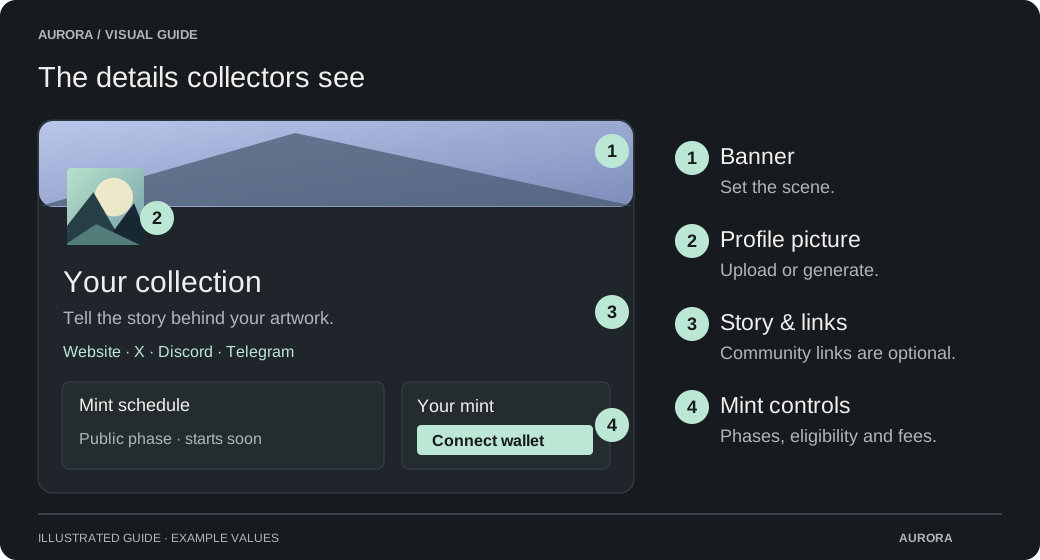
Make the mint page yours
Open Mint page profile
Open Mint page profile directly, or reach Mint page in Set up mint. Generate or upload a profile picture. Add a collection description and, optionally, a website, X profile, Discord or Telegram link.
Edit your mint page artwork
Edit the banner, PFP, description and links together in a compact page preview. Image changes are applied to the public page when you choose Save mint page.
Save mint page
Save the banner, PFP, description and links to the public mint page without a wallet signature or gas. Empty optional links stay hidden. Updating the mint page does not launch a release or change its schedule. In Set up mint, save the page before continuing to Mint settings.
Publish a coming-soon page
Open Public mint → Edit mint settings
Enter the release name and description and prepare the mint page artwork.
Choose Publish coming soon page
Aurora publishes a preview that can appear in the mint directory. No launch signature or gas is needed for this step.
Share the mint link
Open the public page and check it. Continue preparing supply, phases and whitelist settings in the background.
Mint page changes versus marketplace updates
The editor warns when the PFP, description or website has not been published to the contract. Choose Review and Publish to save the page and review the separate owner-wallet transaction. The warning clears after publication confirms. This contract update is optional for mint setup: saving the mint page is enough to continue. Review and Publish remains available: the owner can edit and republish collection details later. Banner and social links belong to the mint page and do not require contract publication. This does not change individual NFT artwork. Marketplaces can take time to refresh after confirmation.
| Change | Wallet transaction? |
|---|---|
| Save public page artwork, description and links | No |
| Publish or update a coming-soon preview | No |
| Publish supported collection metadata to marketplaces | Yes |
| Launch or change onchain mint settings | Yes |